
So I have recently discovered that my computer was not running my Nvidia 965M graphics card. However, I have not been able to make my computer switch from the integrated Intel graphics to the Nvidia card. I have tried the following:
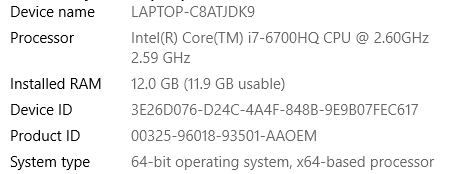
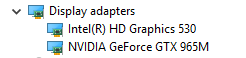
-Going into the Nvidia Control Panel and forcing it to use the Nvidia card however when I do that I get this
-Going into the device manager and disabling the Intel graphics card. My PC would turn it off, but it still would not activate the Nvidia card. I have a feeling it switches to a Microsoft basic adapter. After that, I no longer have the ability to go into the Nvidia Control Panel. My PC saying "You are not currently using a display attached to an NVIDIA GPU"
-Right-clicking the program and selecting "Run with high-performance Nvidia processor"



 Facebook
 Twitter