• We hope you have a fantastic holiday season to close out 2025! Thank you all so much for being part of the Tom's Guide community!

How to shut Asus X555 3 finger tap on touchpad

Raams_

Prominent
Feb 22, 2017
4
0
510
Hi,

When I accidenly tap with 3 fingers on my touchpad on Asus x555, it opens a search menu which minimizes programs in full screen and sometimes make them crush.
Is it possible to shut off the 3-tap feature?

On windows 10 64 bit

Thank you
 
Sounds like it is trying to launch Cortana to me.

1. Go into "Control Panel" and then "Mouse".
2. Switch to the track pad tab and then click "Settings".
3. Go to the click tab and uncheck the "Three-Finger Tap" option.
4. Click "OK" and should be good.


Hi Webworkings,

Thank you for your answer

when I open Mouse in Control Panel, I don't have Track Pad tab.
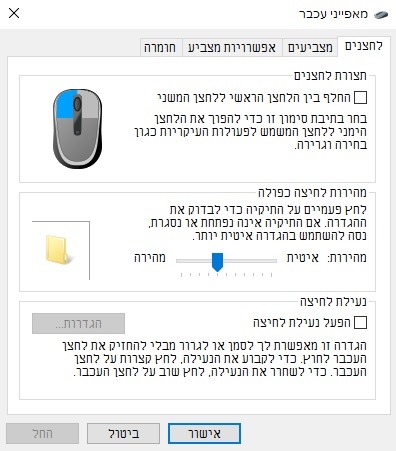
The tabs are only "Buttons", "Pointers", "Pointer Options" and "Hardware":
tumblr_olu7vp9jvf1r6xi8io1_400.jpg


Could there be another way in this model? (Asus x555LA)


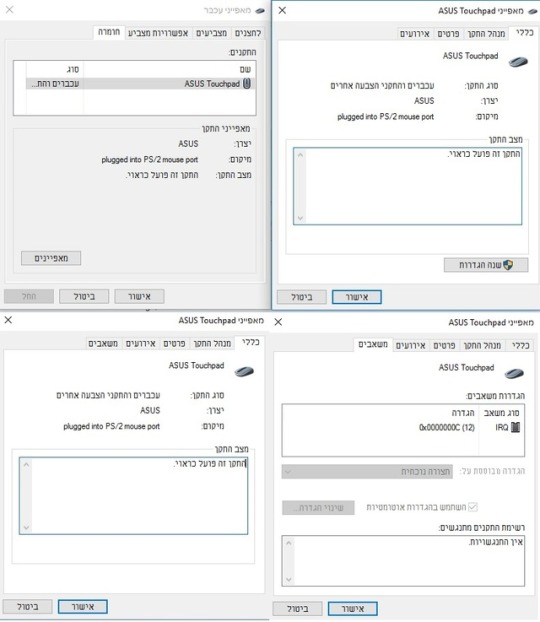
tumblr_olw8xpPXIC1r6xi8io1_540.jpg


When I go to Hardware, I get the upper left screen.
If I click Properties, I get the upper right in the screen caption. The other tabs are: Device Manager, Details and Events.
If then I click Settings, I get the lower left, which looks the same, but additional tab is "Resources" - which is the lower left caption.
 
Unfortunately since i can't actually see all the options on your particular set up, I can't really answer further. It sounds a lot like the options are different.