

- Oct 25, 2009
- 10
- 0
- 18,560
Hi all.
I recently found a 64GB SD card with a broken casing and no label on it. I took it home and re-cased the chip it in a 4GB SD card case. I had to do some work with a craft knife to get it to fit but I was successful.
I put it in my USB SD card reader and it opened up explorer but it had no files on it.
I decided to use Windows to format it and selected the default file system which displayed as exFAT.
I formatted it as exFAT which completed fine but it won't recognize in my Canon camera or Hitachi professional camcorder, both of which state they take 64GB SD cards.
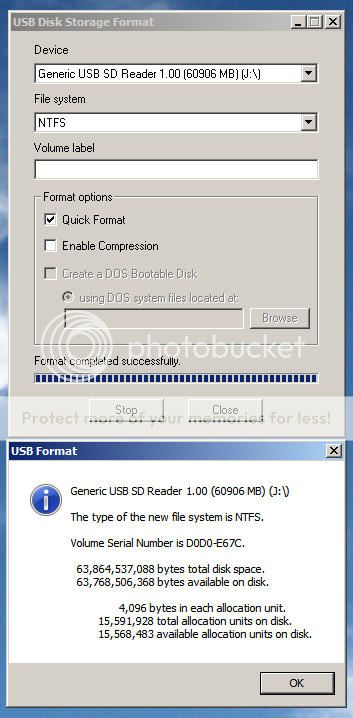
I tried to reformat using windows again but the only other option I get is NTFS which it will format in but again is not recognized in any of my devices.
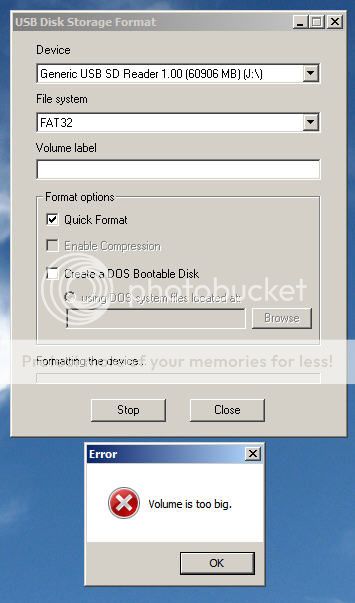
I tried to use the 'USB format tool' that is used in the making of 'Hirens BootCD' and that does give me the FAT format option but if I use it I get a 'file system too large' error or something like that.
I also don't know what the speed of this card is as there was no label on it.
Has anyone got any suggestions or should I just bin it?
I recently found a 64GB SD card with a broken casing and no label on it. I took it home and re-cased the chip it in a 4GB SD card case. I had to do some work with a craft knife to get it to fit but I was successful.
I put it in my USB SD card reader and it opened up explorer but it had no files on it.
I decided to use Windows to format it and selected the default file system which displayed as exFAT.
I formatted it as exFAT which completed fine but it won't recognize in my Canon camera or Hitachi professional camcorder, both of which state they take 64GB SD cards.
I tried to reformat using windows again but the only other option I get is NTFS which it will format in but again is not recognized in any of my devices.
I tried to use the 'USB format tool' that is used in the making of 'Hirens BootCD' and that does give me the FAT format option but if I use it I get a 'file system too large' error or something like that.
I also don't know what the speed of this card is as there was no label on it.
Has anyone got any suggestions or should I just bin it?



 Facebook
 Twitter