• We hope you have a fantastic holiday season to close out 2025! Thank you all so much for being part of the Tom's Guide community!

HDMI to Component Adapter not working with Projection Tv

Feb 28, 2018
3
0
10

  • I have Mitsubishi projection tv.
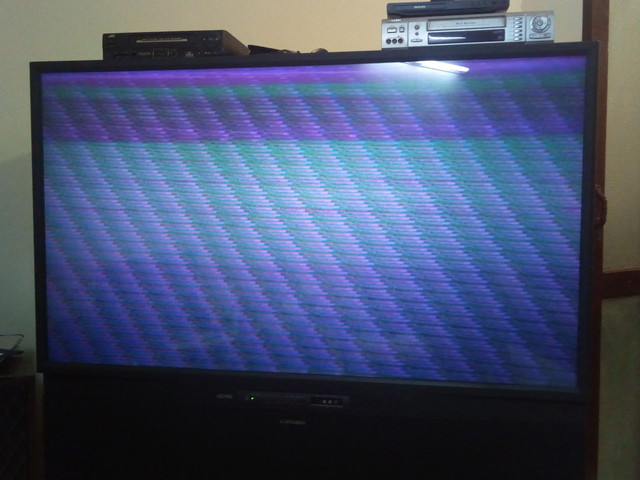
    I am trying to connect laptop to projection tv by using an HDMI-to-Component adopter. But its not working. tv just showing flickering/lines picture. No proper image is displaying.

    Laptop: HP Probook, Integrated intel graphics
    Tv: Mitsubishi Rear Projection Tv (WS-65809 , 2002)

Hdmi converter :
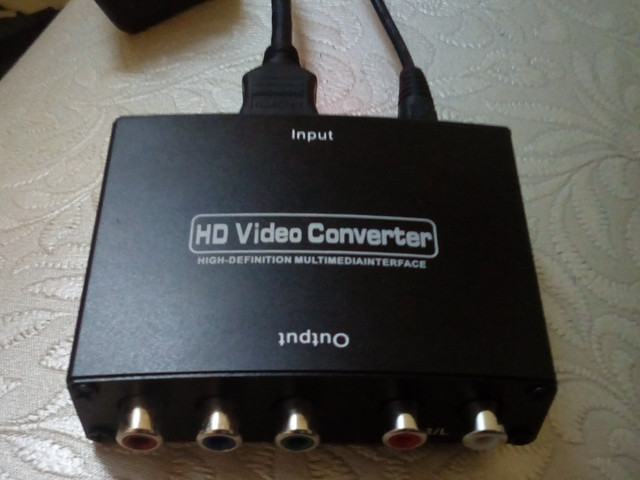
IMG_20180227_232606.jpg


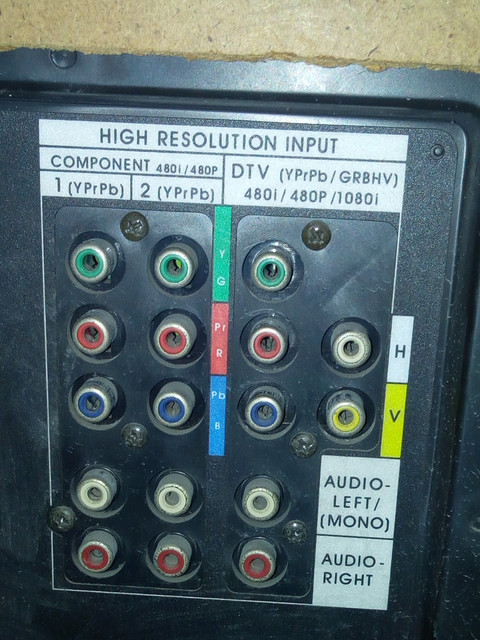
Tv Input ports:
IMG_20180227_232631.jpg


Tv showing this:
IMG_20180227_232504.jpg
 
What is the model number of the HP Probook?
What is the native resolution of the laptop?
What happens if you lower the resolution and/or change the refresh rate?

-Wolf sends
 
HP Probook 450 G3.
In display settings, recommended is 1366*768.
when i change resolution or refresh rate, lines on TV start moving upwards and their layout is changed sometime.

i used the same setup for a new LCD using its component input ports and its working fine.

This mitsubishi tv only support NTSC color system. does it matter?
 
yes. i also checked using DTV input ports, but problem still exist.

- my DVD player is working fine with projection tv, through HDMI converter.
DVD player > HDMI CONVERTER > PROJECTION TV . this setup working fine.

- problem is in case of laptop only
HP LAPTOP > HDMI CONVERTER > PROJECTION TV. (NOT WORKING)
 
When you open Display Settings (right-click on your desktop), what is the resolution set to on the secondary display (projection TV) and what options do you have?

-Wolf sends